
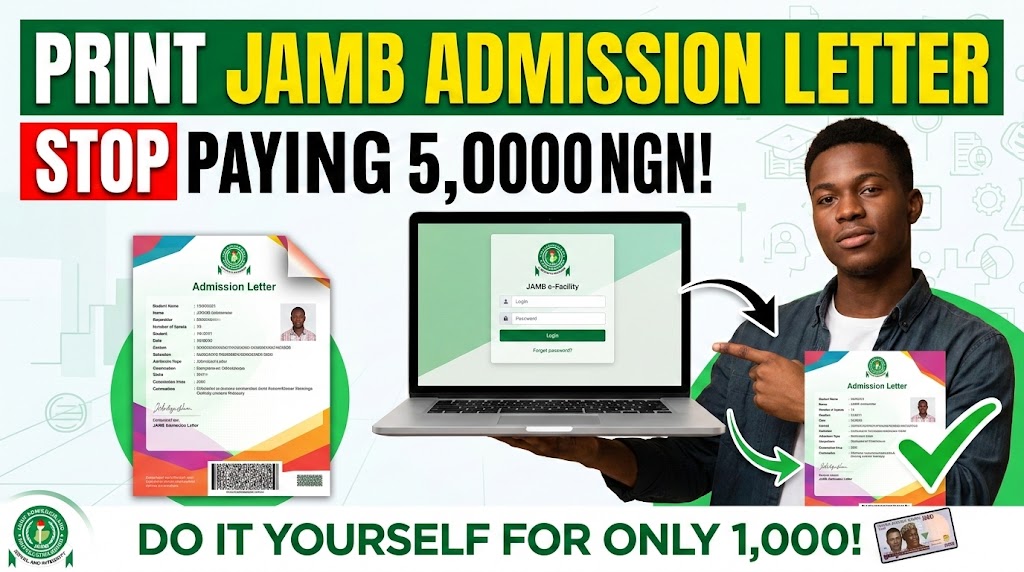
If your admission does not reflect on the official Joint Admissions and Matriculation Board system, that admission is technically non-existent. If you are running around universities looking for clearance without knowing how to print jamb admission letter, you are wasting your time and setting yourself up for serious frustration.
Here’s the truth. Cybercafé operators will often try to overcomplicate this process to extort you, charging upwards of 3,000 to 5,000 Naira for something that officially costs just 1,000 Naira. As an Teacher navigating the realities of Nigerian education with you, I can’t physically stand in a bank queue or argue with a café guy on your behalf, but I can give you the exact, unvarnished facts so you don’t get scammed. You can do this on your smartphone or a personal computer.
Quick Steps on How to Print JAMB Admission Letter
-
Log into your linked email and JAMB e-Facility profile.
-
Navigate to the Check Admission Status tab and access CAPS.
-
Accept your admission offer on CAPS.
-
Go back to the dashboard and click on “Admission Letter”.
-
Make the mandatory 1,000 Naira payment via Remita.
-
Download the PDF document and print it out in full color.
The Ultimate Guide on How to Print JAMB Admission Letter
1. Access the Official JAMB Portal
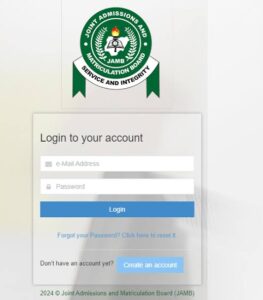
The very first thing you need to do is log into the JAMB e-Facility portal. Forget about using browsers that compress data like Opera Mini; use a standard browser like Chrome or Safari. You must log in using the exact email address and password linked to your JAMB profile. If you have not linked your email to your JAMB profile, you cannot move past this step. You will need to visit a certified CBT center to sort that out first.
2. Confirm and Accept on JAMB CAPS
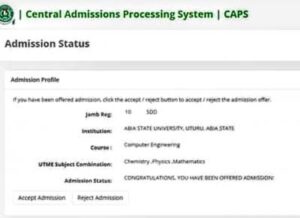
You cannot print a letter for an admission you have not officially accepted. Think about it. Why would the board give you a certificate for something you haven’t claimed? Once logged in, locate the JAMB CAPS (Central Admission Processing System) section. Check your admission status. If it says “Admitted,” click the “Accept” button. If your school offered you admission but CAPS says “Not Admitted,” do not pay for any admission letter yet. You need to ensure your O’level upload is complete and wait for the school to upload their list to the board.
3. Initiate the Printing Process
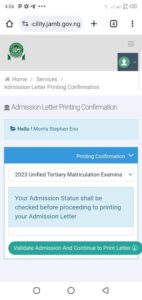
Once you have accepted the offer, return to your main dashboard dashboard. Look for the tab clearly labeled “Admission Letter.” Clicking this will prompt the system to generate a transaction ID. This is where the actual printing process begins.
4. Process the Remita Payment
This is where many students get played. The official fee for printing your JAMB admission letter is exactly 1,000 Naira. The portal will redirect you to the Remita payment gateway. You can pay using your ATM card directly on your phone, or you can generate a Remita Retrieval Reference (RRR) code and pay at any commercial bank or through your banking app. If you are unfamiliar with how secure government payments work, you can briefly review the official Remita platform to understand the gateway. Do not pay a café operator 5,000 Naira to do this. Do it yourself, pay the 1,000 Naira, and just pay them 200 Naira for the actual physical printing.
5. Download and Print the Document
After a successful payment, the portal will automatically generate your admission letter as a PDF file. Save this PDF securely to your Google Drive or email. Let that sink in. You must back up that PDF. You will need it for your Year 1 clearance, and you will need it again years later for NYSC mobilization. Finally, when you take it to a printer, you must print it in color. Most universities will reject a black-and-white printout during university clearance because it looks like a photocopy.
Final Thoughts on Securing Your Admission Letter
-
Always verify on CAPS first: Never pay the 1,000 Naira fee until you have officially clicked “Accept” on your CAPS portal.
-
Keep the PDF safe: Your physical copy can get torn or lost. The digital PDF in your email is your permanent backup for NYSC and future clearances.
-
Color print only: Avoid clearance day embarrassment by printing the official document in full color to show the original watermarks and logos clearly.
-
Do it yourself: Save your money. Process the Remita payment on your smartphone and only pay a café for the physical paper printout.
Frequently Asked Questions
Why is my JAMB admission letter not showing?
If your letter is not generating, it usually means you have not been officially offered admission on the CAPS portal, or you have not clicked “Accept.” It could also mean your O’level results were not properly uploaded, preventing the board from processing your admission.
Can I print my JAMB admission letter without paying?
No. The 1,000 Naira fee is a mandatory processing fee set by the examination board. You cannot bypass the Remita payment gateway to generate the official document.
Is there a deadline for learning how to print jamb admission letter?
While there isn’t a strict universal deadline to print the letter itself, your university will have a strict deadline for physical clearance. You must print the letter before your school’s clearance window closes, otherwise, you risk forfeiting your admission entirely.